WILSONELECTRONICS.COM, WILSONPRO.COM AND ZINWAVE.COM ARE NOW WILSONCONNECTIVITY.COM

Understand the Basics of Cell Phone Signal
November 11, 2023
You don’t need an engineering degree to understand cellular signals, but knowing the basics can save you time and money when it comes to addressing coverage issues. From signal basics to practical applications, this guide breaks down everything you need to make informed decisions about your building’s cellular connectivity.
More than 98% of the population owns a cell phone today, with smartphones accounting for 91% of that ownership. Much of the time, those phones work reliably and as expected, meaning calls and texts can be made and received, and data can be sent and downloaded. While so many of us rely on cell phone signal in our daily lives, most of us don’t really understand where that cell signal comes from or how it works.
Most mobile devices show a set of bars to display the signal strength that the device is receiving. In reality, however, those bars on your cell phone are not an accurate measure of signal strength. That’s because there is no industry standard for what a bar represents or whether it measures your 4G or 5G connection. Therefore, two bars worth of coverage on Verizon’s network may be three bars on T-Mobile, for example. Aside from carrier differences, the number of bars you see can vary based on how you hold your phone, your phone manufacturer, and even previous activity on the device.Using Field Test Mode
If you’re really curious about the signal your phone is receiving, determining the dBm on your own phone is a far more accurate measure of signal strength than relying on the number of bars displayed. Depending on your device, there are different ways to do this, including using the field test mode available on Android and Apple iOS devices.
Field Test Mode on iPhone gives users detailed information about their signal and cellular connection, and providers. Field Test Mode displays the cell signal on iPhones as a number rather than as signal bars or dots.
In order to use Field Test Mode for iPhone, you must have an active cellular connection. Then, follow these steps:
To access the dBm data on your iPhone:
Open the “Phone” application on your iPhone and enter *3001#12345#*
Note that this number must be entered exactly as shown to properly activate Field Test Mode.
To use Field Test Mode for Android, follow these steps with an active cellular connection:
Dial *#*#4636#*#* and hit the call button.
You should see a "Testing" menu where you can select "Phone Information" to view cell signal strength (dBm), network type, and connection data.
Navigate to the phone’s menu (menu screen locations vary by phone manufacturer, model and Android OS version).
1. “About Phone”
2. “Status” or “Network”
3. “Signal Strength” or “Network Type and Strength.”
An alternate navigation to Field Test Mode for Android devices is:
1. “Settings”
2. “More Options,” or “More Settings”
3. “About Phone”
4. “Mobile Networks”
5. “Signal Strength”
If you’re unable to determine your Android device’s signal strength reading by using any of these methods, check your device operations guide. There are also apps available from the Play Store, such as SignalCheck Lite, which may allow you to read your signal strength as well.
Remember, the closer your dBm number is to zero, the stronger your signal. For example, -120 would be a very poor signal and -30 would be a strong signal.
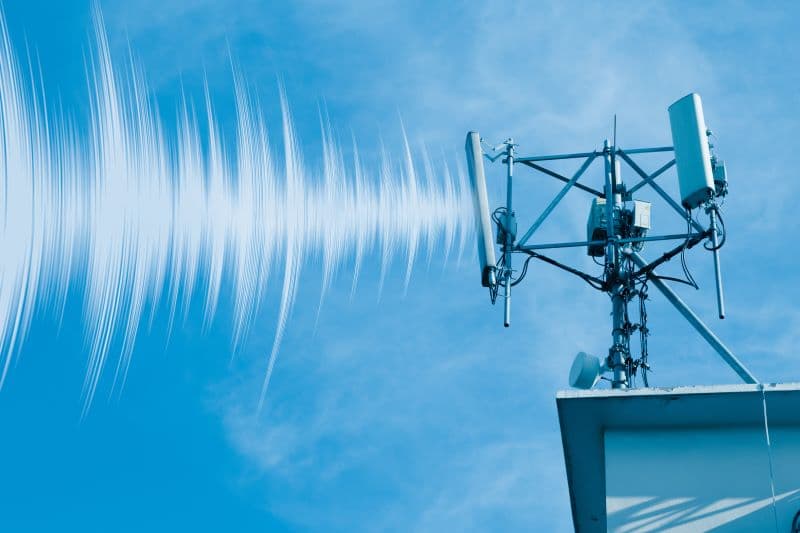
Cell signal is strongest when phones are in close proximity to cell towers. There are relatively few areas these days that don’t have some cell tower infrastructure close by. However, many environmental factors can impede that cell signal from reaching your phone for a reliable connection.
Many things can block cell signal, even in areas where there are plenty of cell towers and theoretically, an abundance of coverage. Cell signal can be impeded by natural environmental barriers, including mountainous terrain or thick forests and vegetation. Indoors, common building materials such as brick, steel, concrete and LEED-certified glass windows can hamper a strong cell signal.
What’s more, as the population of cell users increases, networks are becoming increasingly bogged down as devices compete for signal. That’s why you’ll most certainly experience a lag in service when you’re at a concert, a conference, or any other event where a large amount of people are using their cellular and mobile devices.How can cell signal be improved?
If you’ve experienced the frustration of dropped calls or poor cell signal, then you’ve probably wondered what can be done to improve it. Many consumers are quick to blame their network carrier, and they think switching will be the ultimate magic bullet to fix the problem. In reality, however, the above mentioned factors can wreak havoc on cell signal, regardless of the network you’re on.
While some networks boast wider-spread and more reliable coverage, even the strongest network is no match for a building filled with concrete and brick, or a mountain highway blanketed in pine trees. The good news is that, thanks to cell signal boosting technologies, cell signal can be improved even in the largest areas.
Cell phone signal boosters use a variety of antennas (depending on the location and need) to pick up signal from existing towers. Those signals are then electronically boosted and redistributed throughout the location via a network of smaller antennas. This captured signal is amplified within the location by as much as 32 times.
Because boosters can be installed zonally, there are many options for how and where signal can be improved. For example, more antennas will likely be necessary in a commercial cell phone booster configuration than in a residential one.
A site survey more accurately determines the source of the strongest cell signal, and provides valuable information as to where a donor antenna should be installed for maximum efficacy. A survey also tells the person installing the booster how much cable and other accessories will be needed.
A proper site survey requires the use of a signal meter. This is a handheld device used by professional installation experts to detect and display signal frequency, bandwidth, and strength with total certainty.Choosing the right antenna
A site survey will also help determine which type of “donor,” or outdoor antenna, should be used to capture the signal that will then be amplified indoors. The antennas are a critical part of the amplifier system. Donor antennas, installed on the roof or near a window, bring in the outdoor signal. Installing broadcast or “inside” antennas on the interior wall (panel antennas) or ceiling (dome antennas) help transmit the amplified signal to phones and other cellular devices indoors.
There are two types of donor antenna — omnidirectional, or omni antenna, and directional, or Yagi antenna. Omni antennas are capable of receiving radiofrequency (RF) signal from any direction. Yagi antennas — named after Japanese engineer Hidetsugu Yagi — are highly directional and receive RF signal from one specific direction.
To determine which type of antenna will best boost the signal to a location, the installer will need to determine where the strongest signal is coming from and what may be interfering with that signal.
Gone are the days where cell towers were owned by specific carriers since major providers have realized the advantages of solutions that improve cell signal for the benefit of every user. In the past, carriers were concerned about protecting their networks from boosting solutions that would shut down entire networks. But thanks to Federal Communications Commission regulations mandated in 2014, there are now standards to prevent this from happening.
Wilson Connectivity is the leader in DAS cell signal boosting solutions, and worked in close partnership with the FCC to create the standards that govern cell signal boosters today. Those FCC guidelines coupled with the advancement of DAS technology, have resulted in a win-win for both carriers and customers.
And while 5G is still a ways off, carrier-agnosticism plays a key role in the progress towards the reality of a true 5G network.
More than 98% of the population owns a cell phone today, with smartphones accounting for 91% of that ownership. Much of the time, those phones work reliably and as expected, meaning calls and texts can be made and received, and data can be sent and downloaded. While so many of us rely on cell phone signal in our daily lives, most of us don’t really understand where that cell signal comes from or how it works.
How is cell signal measured?
Cell phone signal strength is measured in decibels (dBm) that are received by a mobile phone from a cellular network. Signal strengths usually range from approximately -30 dBm to -120 dBm. The closer that number is to 0, the stronger the cell signal. Any signal that measures better than -85 dBm is considered to be a good cell phone signal strength.Most mobile devices show a set of bars to display the signal strength that the device is receiving. In reality, however, those bars on your cell phone are not an accurate measure of signal strength. That’s because there is no industry standard for what a bar represents or whether it measures your 4G or 5G connection. Therefore, two bars worth of coverage on Verizon’s network may be three bars on T-Mobile, for example. Aside from carrier differences, the number of bars you see can vary based on how you hold your phone, your phone manufacturer, and even previous activity on the device.
Using Field Test Mode
If you’re really curious about the signal your phone is receiving, determining the dBm on your own phone is a far more accurate measure of signal strength than relying on the number of bars displayed. Depending on your device, there are different ways to do this, including using the field test mode available on Android and Apple iOS devices.Field Test Mode on iPhone gives users detailed information about their signal and cellular connection, and providers. Field Test Mode displays the cell signal on iPhones as a number rather than as signal bars or dots.
In order to use Field Test Mode for iPhone, you must have an active cellular connection. Then, follow these steps:
To access the dBm data on your iPhone:
Open the “Phone” application on your iPhone and enter *3001#12345#*
Note that this number must be entered exactly as shown to properly activate Field Test Mode.
- Press Call. Once dialed, this will immediately open to the Main Menu of the Field Test mode application on your iPhone.
- Find “RSRP,” which indicates the closest cell tower your phone is connected to. The corresponding number indicates the dBm measurement for your cellular signal.
As a range reference, -40 to -50 dBm is the strongest signal, and -120 to -130 dBm is extremely weak. As a rule of thumb, the closer the negative number is to 0, the stronger the signal. To further interpret your signal connectivity data:
RSRQ is the Reference Signal Received Quality.
RSRP is the strongest Reference Signal Received Power.
SINR is the Signal-to-Interference-plus-Noise Ratio.
To use Field Test Mode for Android, follow these steps with an active cellular connection:
Dial *#*#4636#*#* and hit the call button.
You should see a "Testing" menu where you can select "Phone Information" to view cell signal strength (dBm), network type, and connection data.
Navigate to the phone’s menu (menu screen locations vary by phone manufacturer, model and Android OS version).
1. “About Phone”
2. “Status” or “Network”
3. “Signal Strength” or “Network Type and Strength.”
An alternate navigation to Field Test Mode for Android devices is:
1. “Settings”
2. “More Options,” or “More Settings”
3. “About Phone”
4. “Mobile Networks”
5. “Signal Strength”
If you’re unable to determine your Android device’s signal strength reading by using any of these methods, check your device operations guide. There are also apps available from the Play Store, such as SignalCheck Lite, which may allow you to read your signal strength as well.
Remember, the closer your dBm number is to zero, the stronger your signal. For example, -120 would be a very poor signal and -30 would be a strong signal.
Cell signal is strongest when phones are in close proximity to cell towers. There are relatively few areas these days that don’t have some cell tower infrastructure close by. However, many environmental factors can impede that cell signal from reaching your phone for a reliable connection.
What blocks cell signal?
You’ve likely experienced dropped calls, or have tried sending or receiving a message or document only to have progress come to a screeching halt. Maybe it happens when you’re driving through a tunnel, riding the subway, entering a parking garage, or stepping into an office building, but at one time or another, we all enter the dreaded “dead zone”. In fact, 72 percent of Americans complain of dropped calls, and 6 percent say they experience dropped calls several times a day, according to Pew Research.Many things can block cell signal, even in areas where there are plenty of cell towers and theoretically, an abundance of coverage. Cell signal can be impeded by natural environmental barriers, including mountainous terrain or thick forests and vegetation. Indoors, common building materials such as brick, steel, concrete and LEED-certified glass windows can hamper a strong cell signal.
What’s more, as the population of cell users increases, networks are becoming increasingly bogged down as devices compete for signal. That’s why you’ll most certainly experience a lag in service when you’re at a concert, a conference, or any other event where a large amount of people are using their cellular and mobile devices.
How can cell signal be improved?
If you’ve experienced the frustration of dropped calls or poor cell signal, then you’ve probably wondered what can be done to improve it. Many consumers are quick to blame their network carrier, and they think switching will be the ultimate magic bullet to fix the problem. In reality, however, the above mentioned factors can wreak havoc on cell signal, regardless of the network you’re on.While some networks boast wider-spread and more reliable coverage, even the strongest network is no match for a building filled with concrete and brick, or a mountain highway blanketed in pine trees. The good news is that, thanks to cell signal boosting technologies, cell signal can be improved even in the largest areas.
How do cell phone signal boosters work?
As we get further into the 5G era, cell signal is improving overall. But there are still plenty of gaps in service that can occur based on all of the factors we’ve touched on in this article. Thanks to inventive technologies, however, there are ways to get the most out of the cell signal that is available. Cell phone booster systems offer scalable solutions suited for settings ranging from residential homes to large worksites. The smallest apartment or the largest commercial building can benefit from this patented technology that captures and amplifies existing cell signal.Cell phone signal boosters use a variety of antennas (depending on the location and need) to pick up signal from existing towers. Those signals are then electronically boosted and redistributed throughout the location via a network of smaller antennas. This captured signal is amplified within the location by as much as 32 times.
Because boosters can be installed zonally, there are many options for how and where signal can be improved. For example, more antennas will likely be necessary in a commercial cell phone booster configuration than in a residential one.
Conducting a site survey
Before installing a booster solution, it’s important to conduct a site survey to determine where signal is strong and where it is weak. Many people rely on their cell phones to assess coverage in different areas, but as mentioned earlier, the bars on your cell phone are a misleading measure of cell signal strength.A site survey more accurately determines the source of the strongest cell signal, and provides valuable information as to where a donor antenna should be installed for maximum efficacy. A survey also tells the person installing the booster how much cable and other accessories will be needed.
A proper site survey requires the use of a signal meter. This is a handheld device used by professional installation experts to detect and display signal frequency, bandwidth, and strength with total certainty.
Choosing the right antenna
A site survey will also help determine which type of “donor,” or outdoor antenna, should be used to capture the signal that will then be amplified indoors. The antennas are a critical part of the amplifier system. Donor antennas, installed on the roof or near a window, bring in the outdoor signal. Installing broadcast or “inside” antennas on the interior wall (panel antennas) or ceiling (dome antennas) help transmit the amplified signal to phones and other cellular devices indoors.There are two types of donor antenna — omnidirectional, or omni antenna, and directional, or Yagi antenna. Omni antennas are capable of receiving radiofrequency (RF) signal from any direction. Yagi antennas — named after Japanese engineer Hidetsugu Yagi — are highly directional and receive RF signal from one specific direction.
To determine which type of antenna will best boost the signal to a location, the installer will need to determine where the strongest signal is coming from and what may be interfering with that signal.
Benefits of cell signal boosters over Wi-Fi
Many cellular consumers rely on Wi-Fi when their own cellular connection fails. However, the use of unsecure, or even password-protected Wi-Fi, can put data that may be uploaded or downloaded at risk. Wi-Fi networks are inherently more susceptible to data snooping and cyber-criminal attacks. Cell signal boosters improve signal while keeping your data secure. In addition, the strong cell signal these boosters provide result in faster upload and download speeds than Wi-Fi connectivity can provide.Carrier-agnostic solutions
The nation’s top cellular network providers have shifted away from solutions that are network-specific, and are now endorsing carrier-agnostic solutions, which enable every user to benefit from the existing infrastructure, regardless of whether they’re with Verizon, AT&T, or T-Mobile.Gone are the days where cell towers were owned by specific carriers since major providers have realized the advantages of solutions that improve cell signal for the benefit of every user. In the past, carriers were concerned about protecting their networks from boosting solutions that would shut down entire networks. But thanks to Federal Communications Commission regulations mandated in 2014, there are now standards to prevent this from happening.
Wilson Connectivity is the leader in DAS cell signal boosting solutions, and worked in close partnership with the FCC to create the standards that govern cell signal boosters today. Those FCC guidelines coupled with the advancement of DAS technology, have resulted in a win-win for both carriers and customers.
And while 5G is still a ways off, carrier-agnosticism plays a key role in the progress towards the reality of a true 5G network.
Boosting cell signal where you need it
If you’re interested in improving cellular signal in your own home, or if you’re a building manager or owner who needs to improve signal for tenants, Wilson Connectivity can help. We offer a variety of passive DAS solutions that can be configured to improve signal to buildings and spaces of all sizes. Contact us today to learn more, and start reaping the benefits of reliable cellular connectivity.Featured & Trending Now
Six Ways to Solve In-Building Wireless: How to Figure Out Which One You Actually Need